▦
Fast Billing & Barcode
Search items or scan packaged-product barcodes. Barcode Checkout stays separate from customer Shelf QR shopping.
Bill at the counter. Scan barcodes. Track Total and Shelf Stock. Record purchases. Let customers Scan & Buy. Take direct grocery orders. Run multiple billing stations—all from one grocery-focused platform.
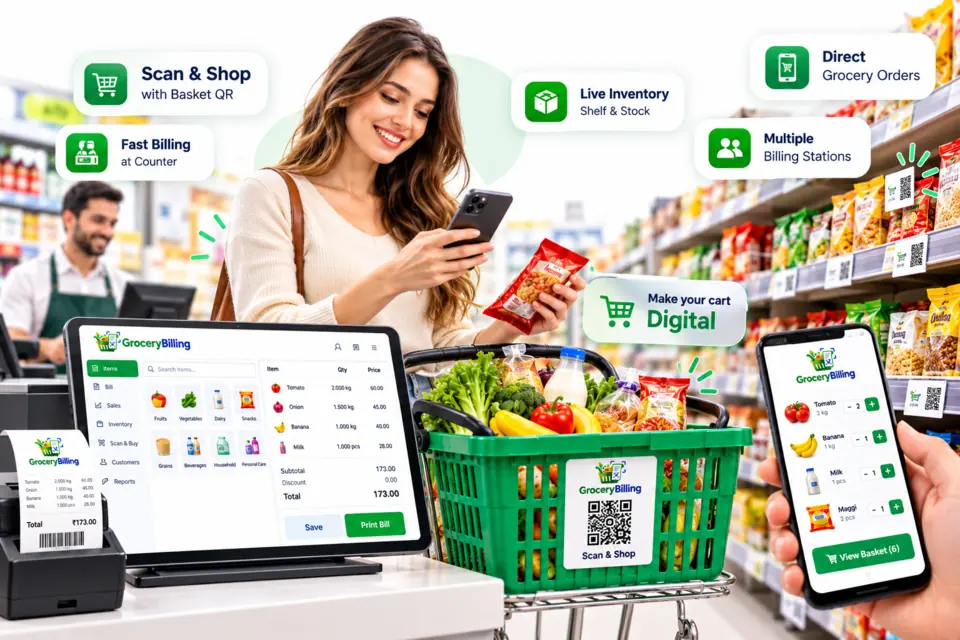
Use one item catalogue across staffed checkout, shelf operations, customer Scan & Buy, online ordering and stock receiving—without forcing every merchant into ERP complexity.
Search items or scan packaged-product barcodes. Barcode Checkout stays separate from customer Shelf QR shopping.
Sell by kg, g, L or ml using decimal quantities or reverse amount-to-quantity calculation.
Track recorded Total Stock and the amount currently on the selling shelf. Inventory remains optional and non-blocking.
Record supplier delivery details optionally and add purchased quantity to Total Stock without forcing supplier accounting.
Park a local counter bill, start the next customer, then resume the held bill when ready.
Return selected quantities from a previous bill, optionally restore Total Stock and produce a local return receipt.
Track opening cash, cash sales, cash refunds, expected cash, actual cash and difference per local station shift.
Pair additional checkout devices without another Google login and use the shared Command Center.
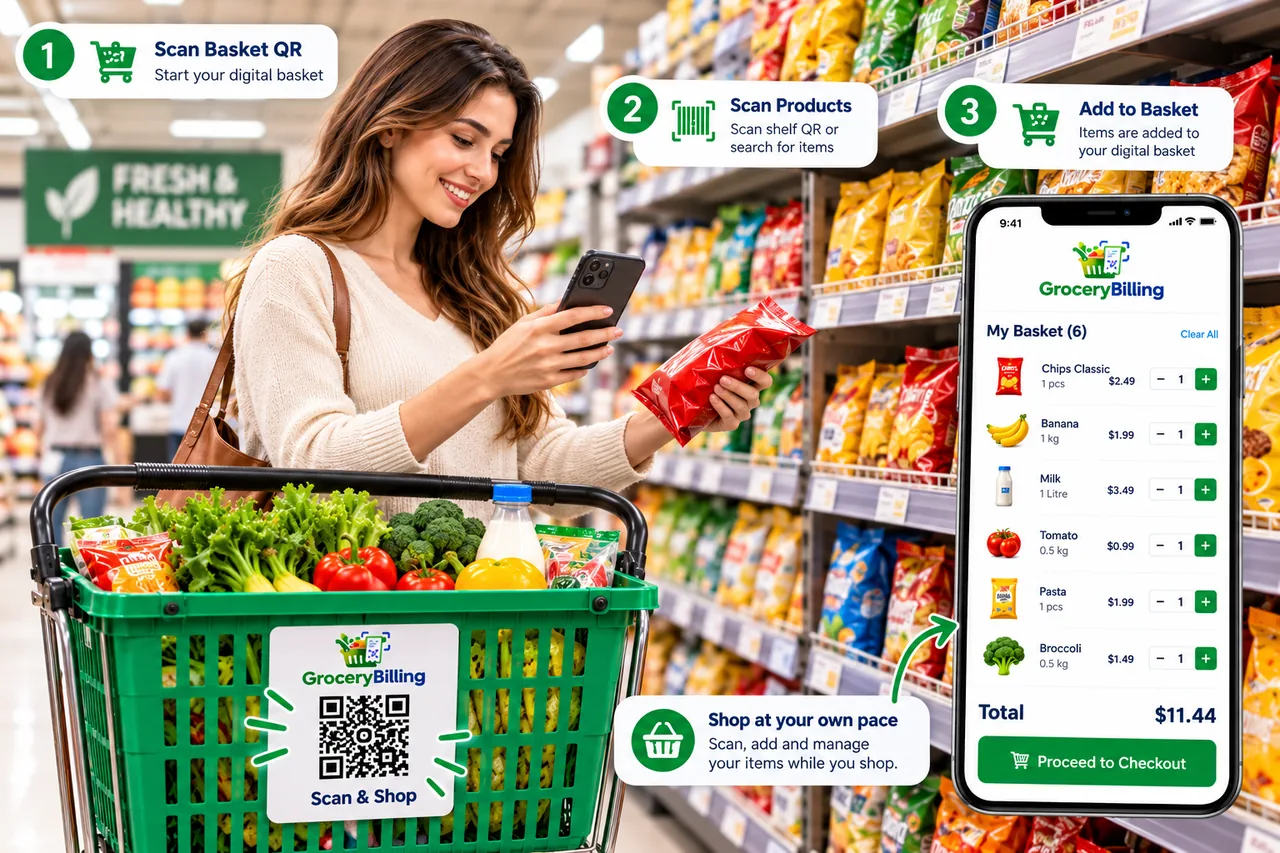
Customers scan Shelf QRs, choose quantity, build a Digital Basket and present a 4-digit Checkout Code at the counter.
Paste a GroceryBilling Digital Basket QR on a normal store basket. The shopper scans it once, scans Shelf QRs while walking the aisle, manages quantities on their own phone and reaches checkout with the shopping session already organized digitally.
If Parle-G has 100 units recorded in Total Stock and 20 on the shelf, GroceryBilling can show 80 available off shelf. A sale depletes both Total and Shelf quantities until they reach zero. The sale still completes even if recorded stock is zero.
Authenticated staff can reuse the existing Shelf QR to manage Shelf Stock. Scan an item, refill the shelf or count what is physically there, save, then scan the next shelf. Low and critical thresholds give the business an early view of shelves that need attention.
Open the exact item without searching through the catalogue.
Add stock onto the selling shelf while Total Stock remains the overall recorded quantity.
Set the actual physical shelf quantity when staff perform a shelf walk.
See Good, Low, Critical, Out and Not Set shelf states using configurable thresholds.
On desktop, point your phone camera at any demo Shelf QR. On mobile, open the demo directly.
Demo mode uses a read-only sample store. It creates no real order, payment or merchant sale.
Mart trials are available for 30 days without a card. Store and Supermarket capacity pilots open after scalable catalogue and multi-station testing.
GroceryBilling tracks inventory, shelf status and capacity to help the business—not to stop it. Recorded stock at zero never prevents a cashier from completing a real sale.
New businesses can start a 30-day trial with no payment card. The Mart plan is $39/month in the US or ₹299/month in India after the trial, with 300 active products and one billing station. Billing, sales, transactions, customers, QR scans, Grocery Orders, reports and exports are not usage-metered.
Nothing is blocked. GroceryBilling inventory is an operational aid. Sales continue normally, and tracked stock simply floors at zero rather than becoming negative.
Shelf Inventory tracks how much of the recorded Total Stock is currently placed on the selling shelf. It is optional and can have per-item low and critical thresholds.
Yes. Barcode lookup supports common keyboard/HID scanners such as many USB, Bluetooth and 2.4 GHz scanners, plus camera scanning where browser support exists.
Yes. The Main Counter plus additional paired Billing Stations can use the same store setup. Extra stations pair using a QR/link and one-time code.
Yes. Simple Purchases can add stock to Total Inventory, while Returns can optionally restore returned quantity to Total Stock. Returned goods are not automatically put back on the shelf.
Yes. India mode includes INR, GST-oriented workflows, UPI and Udhaar. USA mode uses USD and simple merchant-configured sales tax while hiding India-specific controls.
Small stores, supermarkets, convenience shops and bodegas.
Browse solutions →Checkout setup, scanner hardware, queue management and shelf QR planning.
Explore guides →Decide on grocery-specific features and processor independence with a realistic checklist.
Compare choices →Use specific store tests—not guesswork—to evaluate checkout, refunds, scanners and stock workflows.
12 independent scenarios for register confidence.
Check your store →Verify keyboard-mode barcode speed and focus.
Review scanner checks →Reconcile shifts, sales, returns and tax records.
Read reconciliation guide →USA grocery POSIndia grocery billingShelf QRGrocery billingFeaturesScan & AddIntegrationsComparisonsGuidesToolsAboutContactGlossaryHelpChangelog